Number Filters
Set a minimum rate, a minimum RPM, and min/max miles or weight, right inside DAT One's search bar. Highlight the loads that match, or hide everything that doesn't.
NewRate · RPM · Miles · Weight
 DATSpeed now works on Microsoft Edge! 🎉
One-click email from multiple Gmail and Outlook accounts, route maps, credit ratings, number filters, a profit calculator and lots more, right inside DAT One.
No credit card required. Then $7 a month or $70 a year. Works on Chrome and Edge.
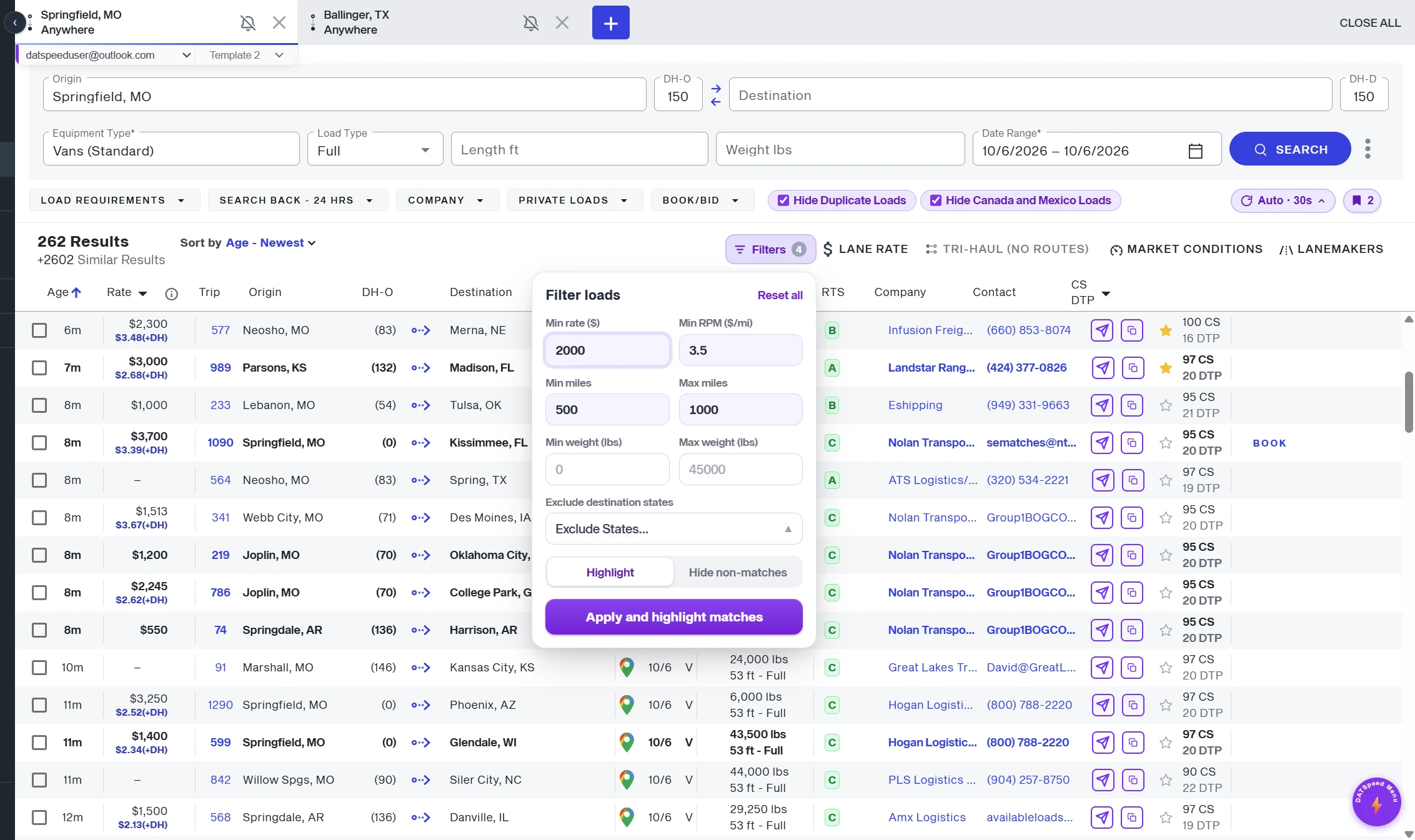
A load is just a row: a lane, a rate, a broker. DATSpeed gives every row a send button, a route, a credit grade and your profit.
Connect Gmail or Outlook once. After that, every broker email is one click, pre-filled from your template with the lane and the pickup date.
Hello,
I am interested in the load from Elkhart, IN to Pueblo, CO on Oct 6.
Could you please share the rate and any additional details?
Thank you!
It goes out from your own Gmail or Outlook account.
Turn on the optional 4-second undo. A ring counts down, and one click cancels.
A green dot marks every load you have emailed today.
Your template adds the origin, destination and pickup date. Use {origin}, {destination} and {date} to write your own.
Select a load with the arrow keys and press M to email the broker. Your hands never leave the keyboard.
DATSpeed can send email for you. It can never read your inbox.
Connect up to 3 Gmail and/or Outlook accounts, mix and match. Create up to 3 email templates and up to 3 signatures, and attach any signature to any template. Built for dispatchers running multiple MC numbers or companies.
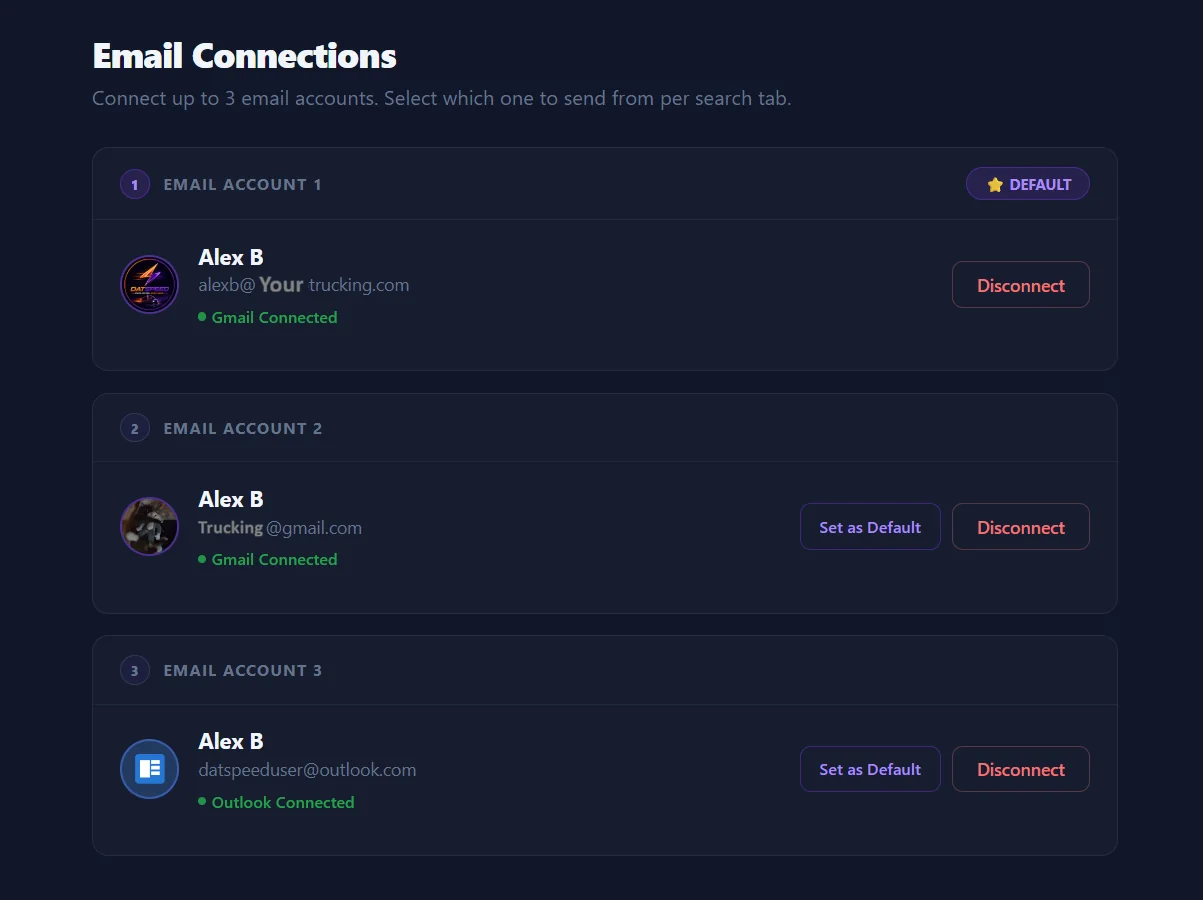
Click a tab to switch, or click the account or template to cycle examples. Every search tab remembers its own picks.
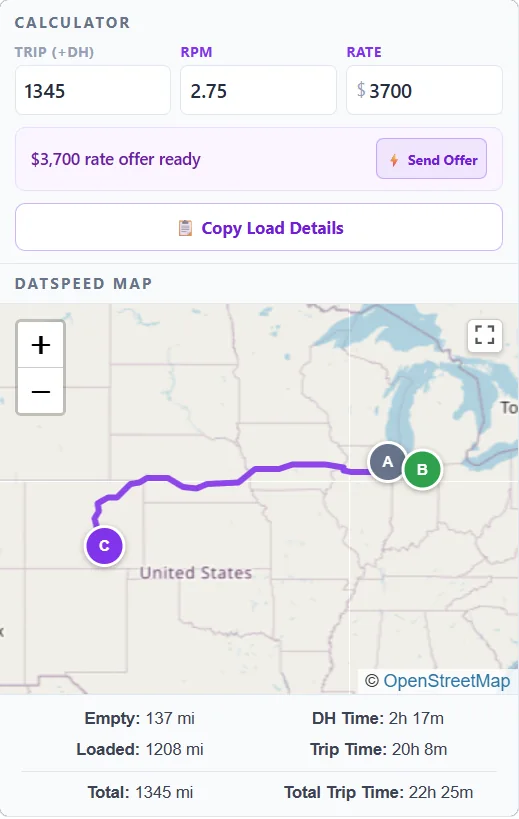
A live map and rate calculator sit inside every load, pre-filled with total miles, deadhead and the posted rate.
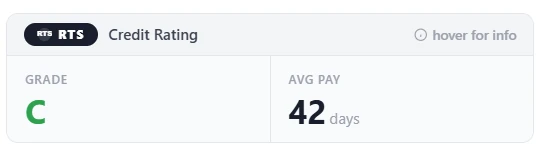
Live RTS and Apex Capital credit data, right inside the load. No extra tabs, no surprises on payment day.
In the load list, every broker gets a grade. Green is safe, yellow is caution, red is high risk. Grades are cached all day for instant reference.
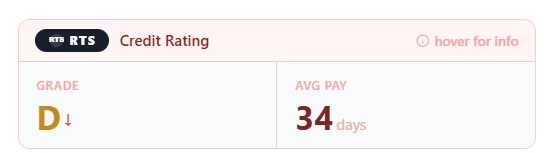
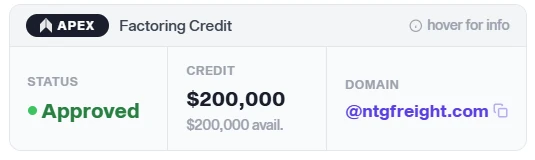
Each integration requires its own account. RTS Credit Ratings requires an active RTS Credit Pro account with RTS Financial. Apex Capital requires an active Apex Capital AMP account. Each works independently: you can use one, both, or neither.
Type a number and the board reacts instantly. Highlight what matches, or hide everything that doesn’t. Every search tab remembers its own filters, even after a refresh. Try it below.
Smart filter chips live directly inside DAT One’s own search bar. Hide duplicate loads, hide Canada and Mexico loads, or exclude the destination states you never run. Toggle any combination instantly, with no page reload.
A profit card sits right under the rate in every load detail. Set your driver pay and fuel costs once, and DATSpeed shows your net profit, profit per mile and margin on every load, color-coded so the great loads and the money-losers stand out at a glance.
Try it: pick a load, change the rate or your costs, and watch the profit and color update. An estimate based on the numbers you enter; it doesn’t include tolls, insurance or other costs.
Fresh loads, fast keys and one-click copy: less clicking, more booking.
DATSpeed presses Search for you every 5 seconds to 5 minutes, with optional random timing built in. It pauses while you have a load open.
One click copies the load as clean text: route, miles, rate, equipment, company, contact, reference and a map link. Paste it into a text message or your TMS.
Every action has a shortcut. Fly through loads, tabs and emails without touching the mouse.
Toggle between DAT One with and without DATSpeed. Same search. Completely different experience.
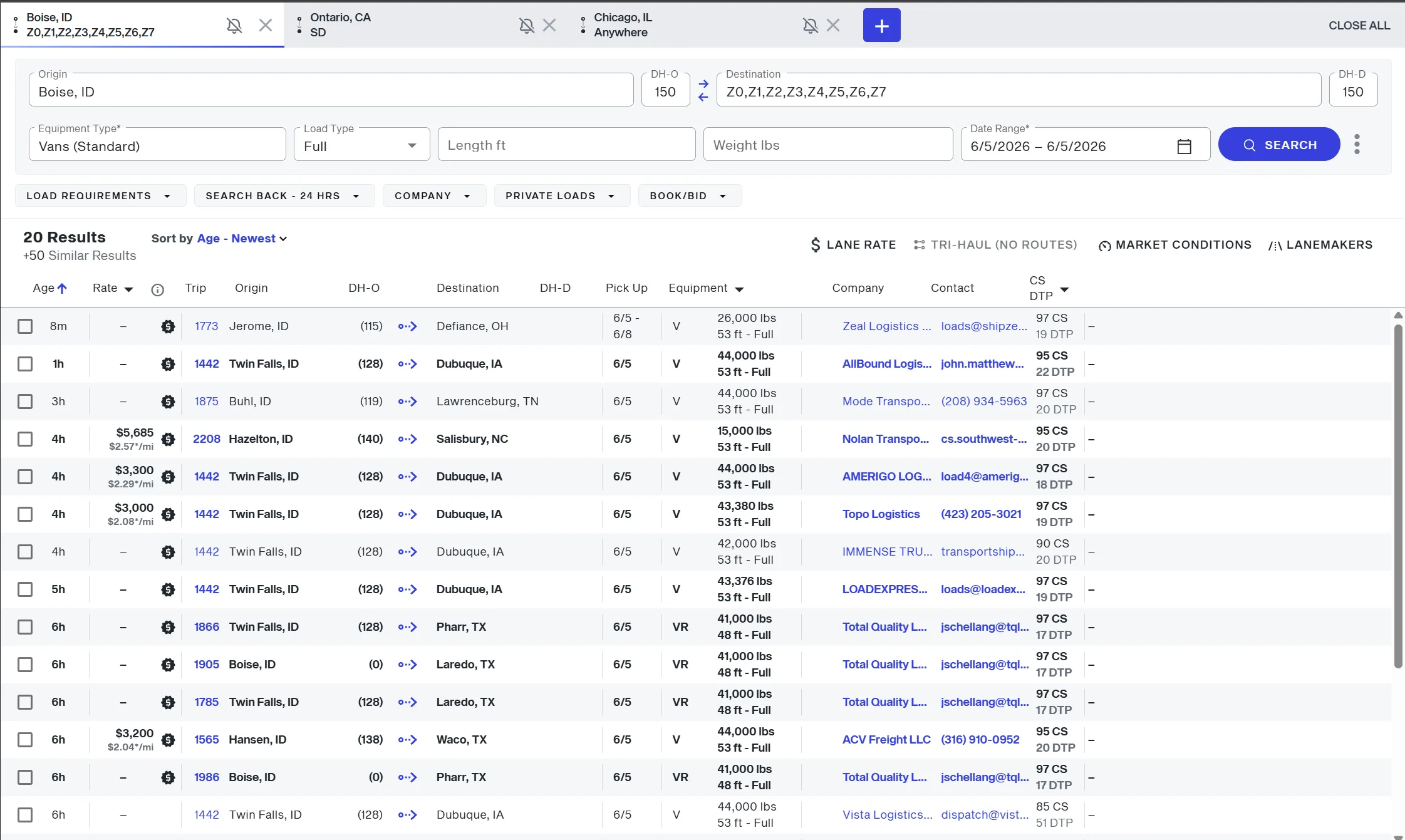
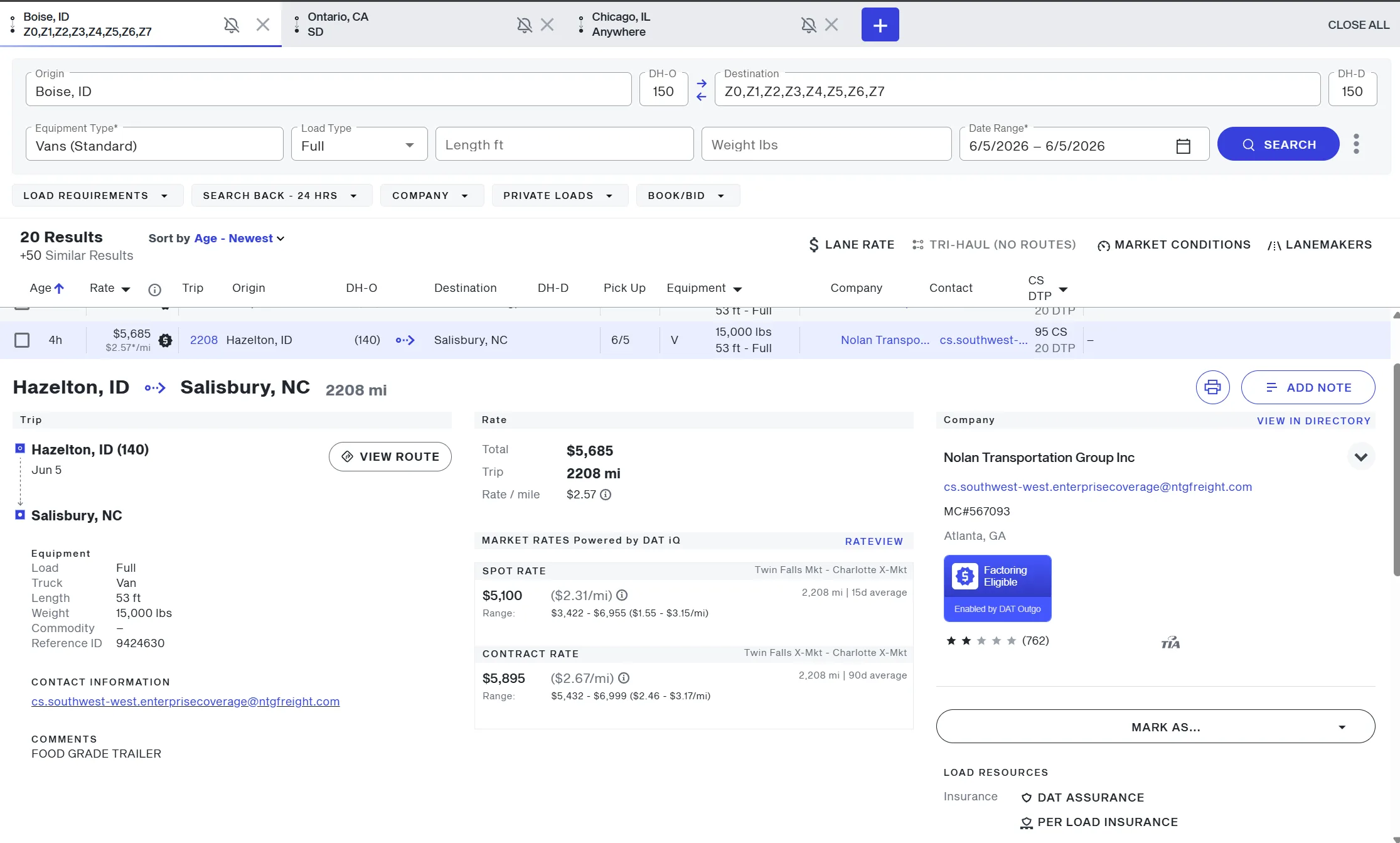
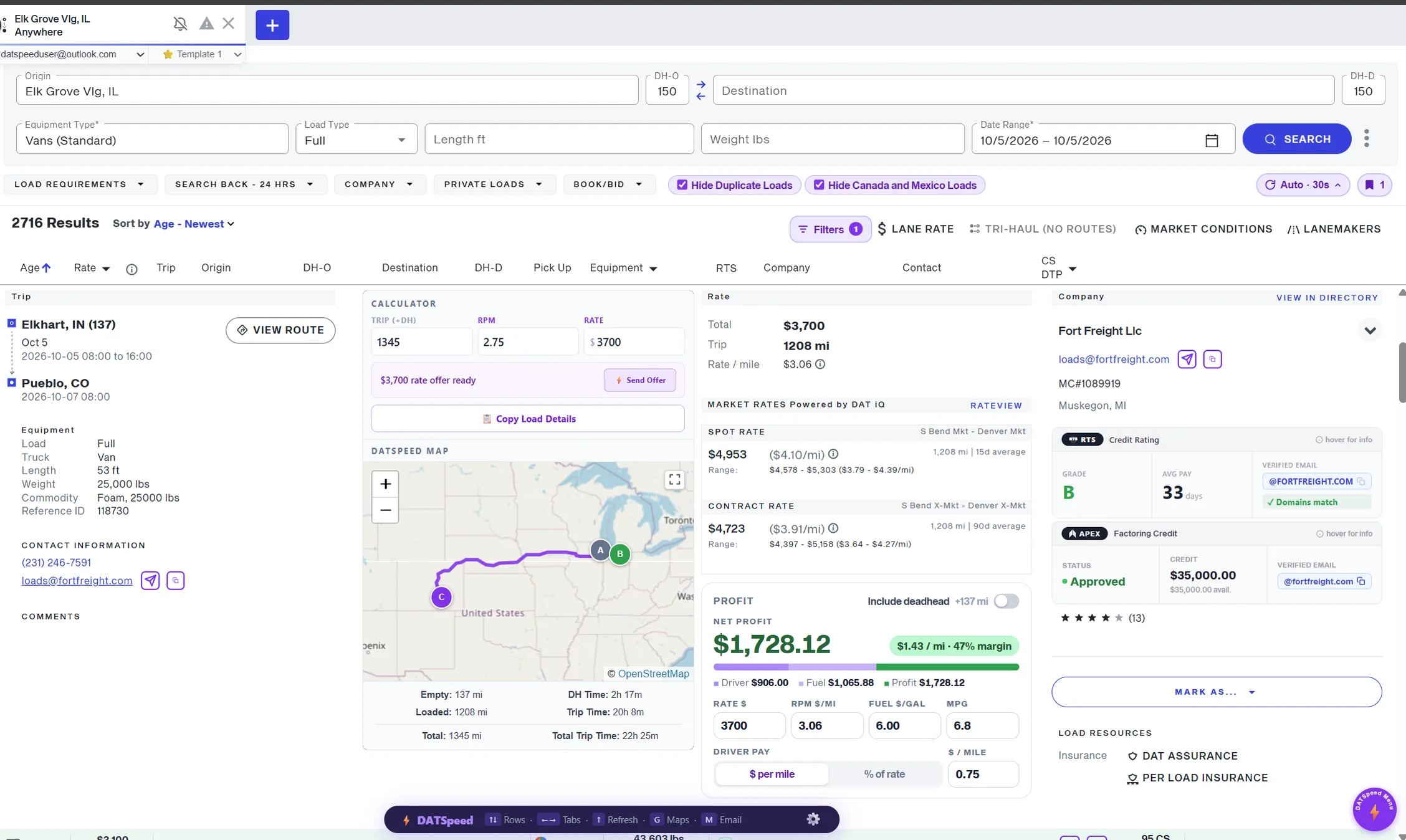
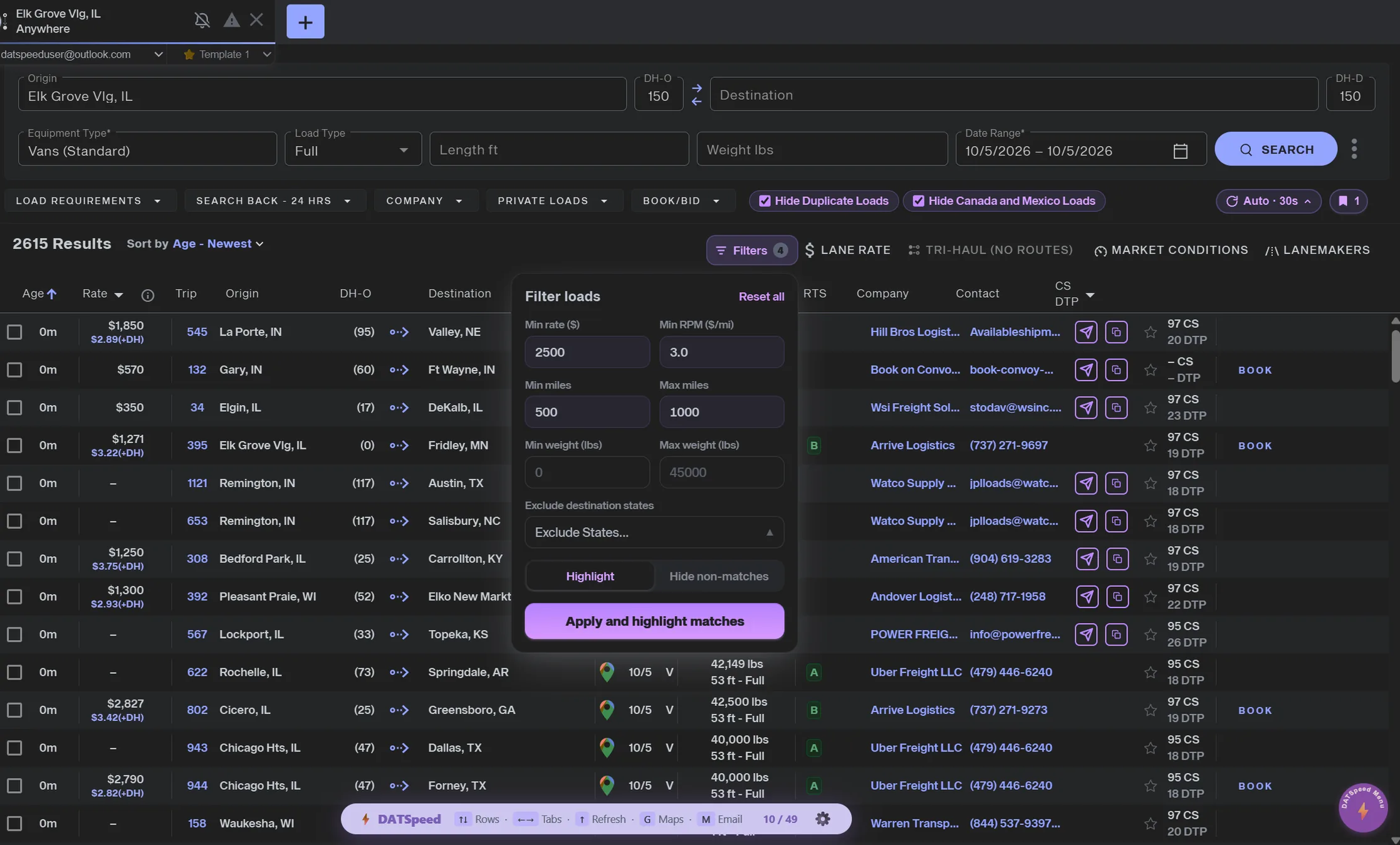
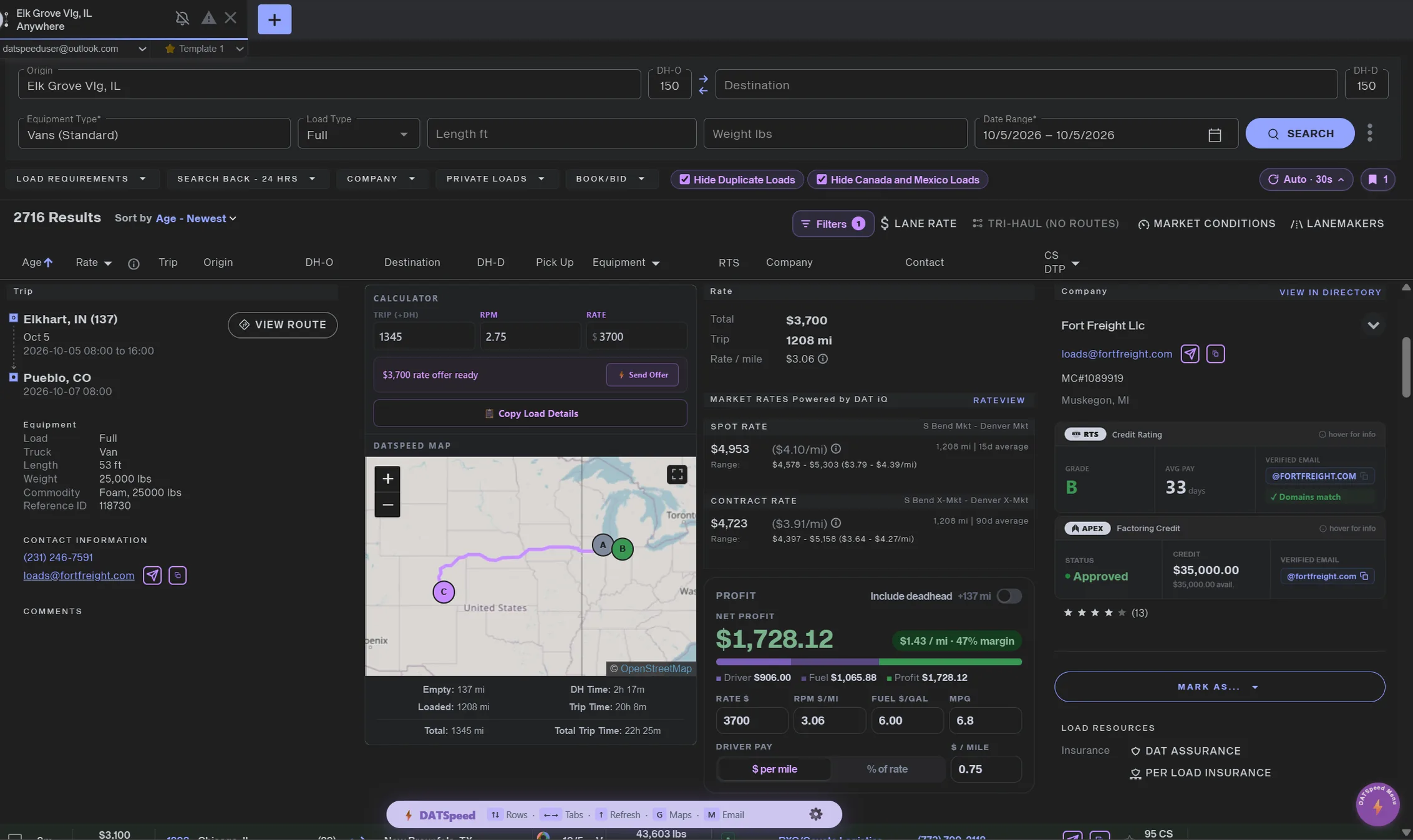
Swipe sideways to explore the full screen.
Every load requires clicking. Navigate 100 loads? That’s 100+ clicks.
Copy email, open a Gmail tab, paste, write from scratch. Every. Single. Time.
You leave DAT to check RTS Pro or Apex, or you book blind and hope they pay on time.
You’re guessing your RPM in your head, or opening a calculator. Every. Single. Load.
Install DATSpeed from the Chrome Web Store. It takes 10 seconds and works on Chrome and Microsoft Edge.

Connect up to 3 Gmail or Outlook accounts, mix and match. Create up to 3 templates and signatures too. DATSpeed only requests Send access, never your inbox.
DATSpeed activates automatically. Keyboard nav, filters, maps, email, RTS credit ratings and Apex Capital all work instantly. Connect RTS and Apex in one click from the popup.
Click the DATSpeed icon in your Chrome or Edge toolbar. Your entire workflow is right there: every feature toggleable, RTS connected, shortcuts visible. Nothing buried. Nothing complicated.
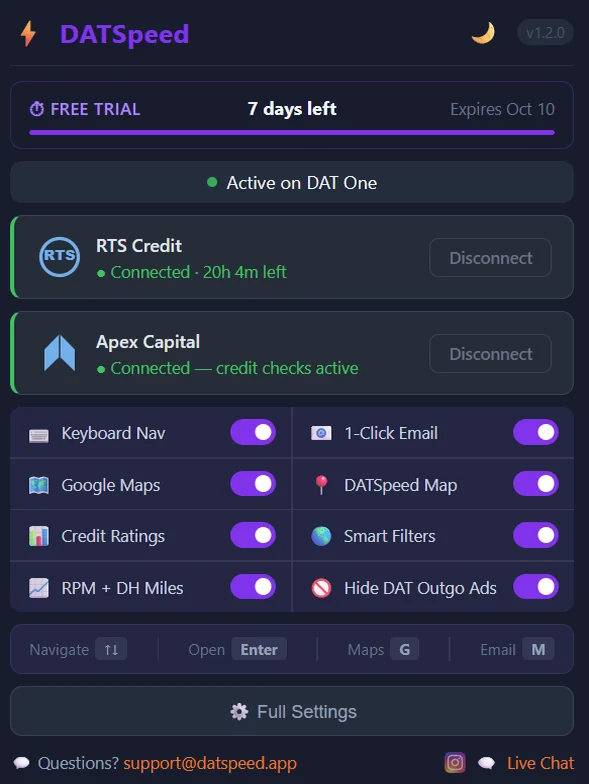 v1.2.1 — All features live
No bloat. 20+ tools that cut the repetitive work out of every single load search.
Set a minimum rate, a minimum RPM, and min/max miles or weight, right inside DAT One's search bar. Highlight the loads that match, or hide everything that doesn't.
Hit send on a broker email, then change your mind. Turn on the 4-second delay and cancel with one click before anything actually goes out. No more wrong-load emails.
DATSpeed clicks Search for you every 5 seconds to 5 minutes, so fresh loads show up without lifting a finger. It pauses while you have a load open, and optional random timing is built in.
Enter your driver pay and fuel costs once. Every load then shows your estimated profit, profit per mile and margin, color-coded so the good loads stand out. Deadhead included if you want it.
One click copies the whole load as clean text: route, miles, rate, equipment, company, contact, reference and a map link. Paste it into a text message or your TMS.
Hover any phone number in DAT One and a small copy button appears. DAT's own click-to-call keeps working exactly as before.
Fly through load rows with arrow keys. Navigate up, down, switch tabs, refresh the search — all without touching your mouse. Press Enter to open a load instantly.
Connect up to 3 email accounts at once — any mix of Gmail and Outlook. Perfect for dispatchers running multiple MC numbers or companies. Pick which account sends per search tab, and DATSpeed remembers your choice.
A Maps pin appears on every row. Click it to open a full 3-stop route — your truck's city → pickup → delivery — in Google Maps instantly. No tab switching needed.
An embedded live route map appears inside each load detail — showing pickup, delivery, your truck's location, driving miles, deadhead drive time, and estimated trip time side-by-side.
Hide duplicate loads, hide Canada & Mexico loads, or exclude specific destination states you never run. All filters live right in the DAT search bar — toggle any combination instantly with no page reload.
Create up to 3 email templates and up to 3 signatures — attach any signature to any template. Built for multi-company work: different MC numbers, different templates, different signatures, all one click apart. Auto-fill variables for origin, destination, and pickup date included.
Flip the extension to dark mode with one tap. DAT One inverts to a dark theme that's easy on the eyes during long dispatch sessions — especially at night or in low-light setups.
Never run to California? Tired of seeing loads going to states you don't cover? Select any states to exclude and hit Apply — those destinations vanish from your results instantly, no white gaps, no scroll issues.
See every broker's RTS credit grade, average days to pay, and risk flags — right inside the DAT One load detail. Connect once, ratings appear on every load automatically with color-coded grades.
Connect your Apex account and instantly see factoring credit approval, credit limit, available credit, and verified broker domain on every load — without ever leaving DAT One.
A new RTS grade column appears directly in the load list. Color-coded A through F — green for safe, yellow for caution, red for risk. Grades appear on rows you've already opened, cached all day for instant reference.
Replaces DAT's generic $/mi with your actual rate per mile including deadhead. See the real RPM on every load so you know instantly whether it's worth calling.
Star any load to bookmark it — it's still there even after the posting disappears from your search results. Saved loads get their own panel with one-click send and copy buttons built right in.
DAT's left-side navigation eats up valuable screen space. One click collapses it down to a slim icon rail, reclaiming room for your search results — especially useful on smaller screens or side-by-side windows.
DAT's own factoring service ads clutter up your load board. One filter removes them instantly, giving you a cleaner view focused on just the loads that matter.
No tiers. No feature gates. Everything works from day one.
Billed monthly. Cancel anytime.
That is $5.83 a month. Billed annually. Cancel anytime.
2 months free, save $14No credit card required.
RTS and Apex ratings need your own RTS Credit Pro and Apex Capital AMP accounts.
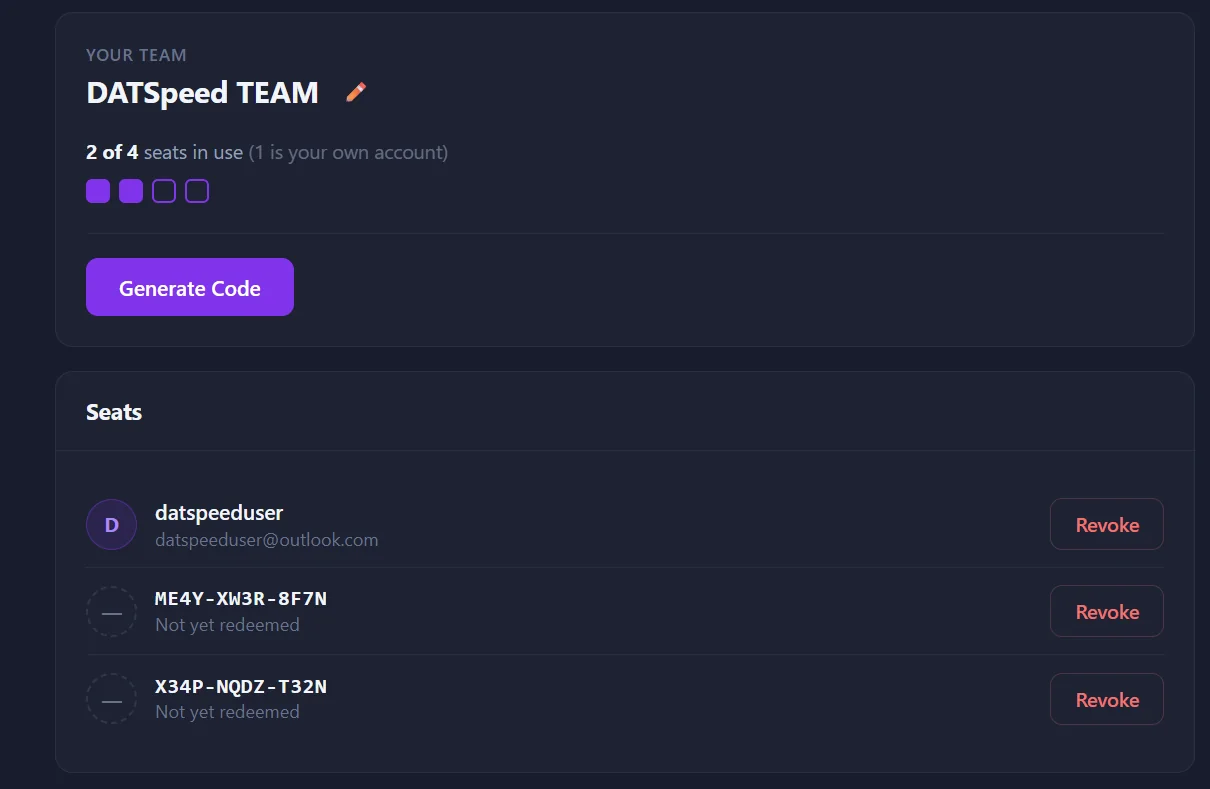
Have a team? Save with team pricing
Buy a block of seats, hand out access codes to your dispatchers, and manage your whole team’s access and billing from one dashboard, instead of everyone paying separately.
“If you’re a dispatcher using DAT, this extension will save you a lot of time. The broker’s RTS rating is right there — no need to copy/paste. The one-click email is a game changer, especially when you’re trying to be the first one to reach a broker. Highly recommended.”
“Nice product — saves me time. I can see my broker’s credit rating, a map with all mileage in a single window, and send emails to brokers with one click.”
“Very helpful extension for DAT One. Makes dispatching faster and easier with better navigation and useful features. Saves time and improves workflow. Highly recommend!”
Can’t find yours? Write to support@datspeed.app.
chrome://extensions (edge://extensions on Edge), turn on Developer mode in the top-right corner, and click the Update button at the top of the page. Then refresh DAT One.Join dispatchers who’ve already cut their load search time in half. Start your 7-day free trial. No credit card required.
Works on Chrome and Microsoft Edge